An always-on Claude in the closet
Most of what I build now starts as a conversation with Claude Code on my laptop. The problem is the laptop. It closes, it sleeps, it leaves the house, and every long-running session on it goes with it. The more of my life that runs through those sessions — the house, the cars, the calendar, a long list of small tools — the more that started to matter.
So I gave Claude a machine that never sleeps.
Two Macs, one setup

The closet Mac is a second MacBook that stays on, logged in, and out of the way. It runs Claude Code inside Herdr, a terminal multiplexer built for coding agents, with Remote Control switched on — so the session shows up in the Claude app on my phone and I can pick it up from anywhere. Ask it something from the driveway, and the work happens on a machine that’s still running when I put the phone away.
Two things make it worth having rather than a novelty.
It heals itself. A launch agent wakes every five minutes, checks that the Herdr server and the agent inside it are both alive, and restarts whichever isn’t. It’s idempotent — it will never start a second copy — so it can run forever without anyone thinking about it.
It’s the same Claude. A second machine is only useful if it can do everything the first one can: the same skills, the same small tools, the same MCP servers talking to Home Assistant, the cars and my calendar. That’s the sync script’s job.
Keeping two machines identical
The laptop pushes to the closet every thirty minutes; the closet checks for drift every thirty minutes and raises a macOS notification if the two have wandered apart. Either side can push by hand when it has the newer work.
The rules turned out to matter more than the mechanism:
- Never delete. The sync only ever adds and updates. If the closet has built something the laptop hasn’t seen, a push from the laptop must not destroy it.
- Never sync credentials. Each Mac keeps its own login. Copying tokens between machines works until two copies of the same refresh token start evicting each other — then both break at once.
- Report machine state, don’t overwrite it. Some settings are genuinely per-machine. For those the script tells me they differ and leaves the merge to me.
- Rewrite paths. The two Macs have different usernames, so every absolute path in a synced config has to be translated on the way across. That one bit me before I wrote it down.
The workspace-naming hook
Herdr shows each workspace by name, and I had four open, all named after the folder they started in. I couldn’t tell them apart.
So there’s now a small hook that runs every time I send Claude a prompt. In the background — it never slows the turn down — it asks a fast model to boil the prompt down to a two-to-four-word title and renames the workspace. A name I’ve typed by hand is never overwritten. Here’s a slice of the result:
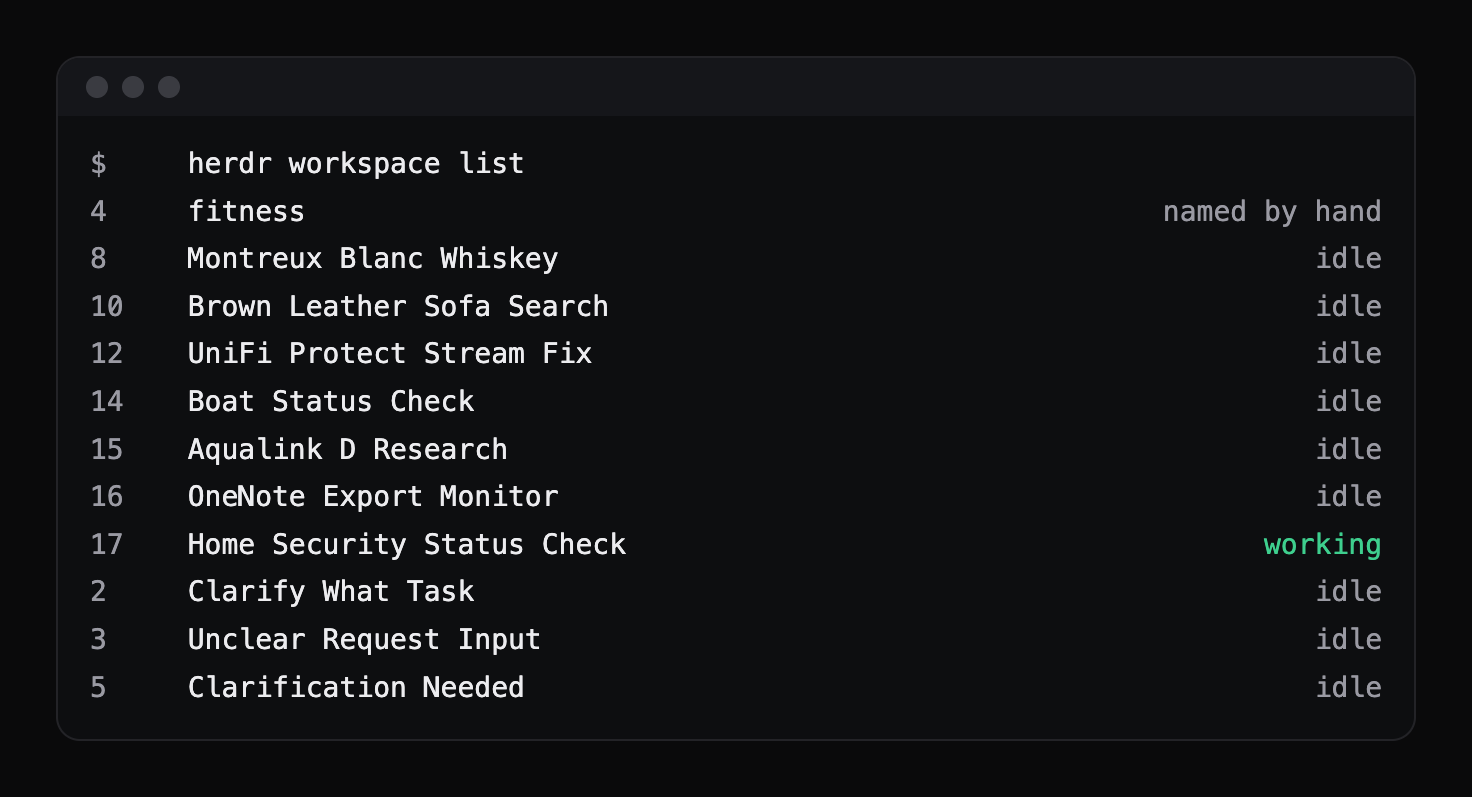
The bottom three are my favourite part: they’re what it produces when my prompt was genuinely vague, which is its own kind of feedback.
It took three attempts, and the failures are the useful bit:
- It recursed. The summariser is itself a Claude call, so it fired the same hook, which asked for a summary of the summariser’s instructions. A single environment flag on the child process stops it.
- It ignored its input. When stdin isn’t a terminal — and inside a hook it never is — the CLI reads the prompt from stdin and silently ignores a prompt passed as an argument. The fix is to pipe it in.
- An option ate the prompt. One flag accepts a variable number of values, so it swallowed the argument that followed it. Order matters.
None of those are documented anywhere I found. All three are the kind of thing you only learn by watching it do the wrong thing.
Why it matters
The lesson is the one that keeps coming up: once an assistant is doing real work around the house, it needs the same things any other service needs — somewhere to run that isn’t a laptop, something that restarts it when it falls over, and a way to keep its configuration in one piece.