The cars moved onto the wall
A couple of weeks ago I brought TeslaMate back from the dead and put an MCP server on top of it, so I could ask where either car was in plain English. The wall tablet in the house, though, still had nothing. Home Assistant’s Tesla integration had stopped getting data in June, when Tesla shut the API it relied on; one car had never reported at all, and the other updated when it felt like it.
The data was sitting right there. TeslaMate publishes every car’s live state over MQTT the moment it changes. Home Assistant speaks MQTT natively. They just weren’t talking to each other.
One small relay
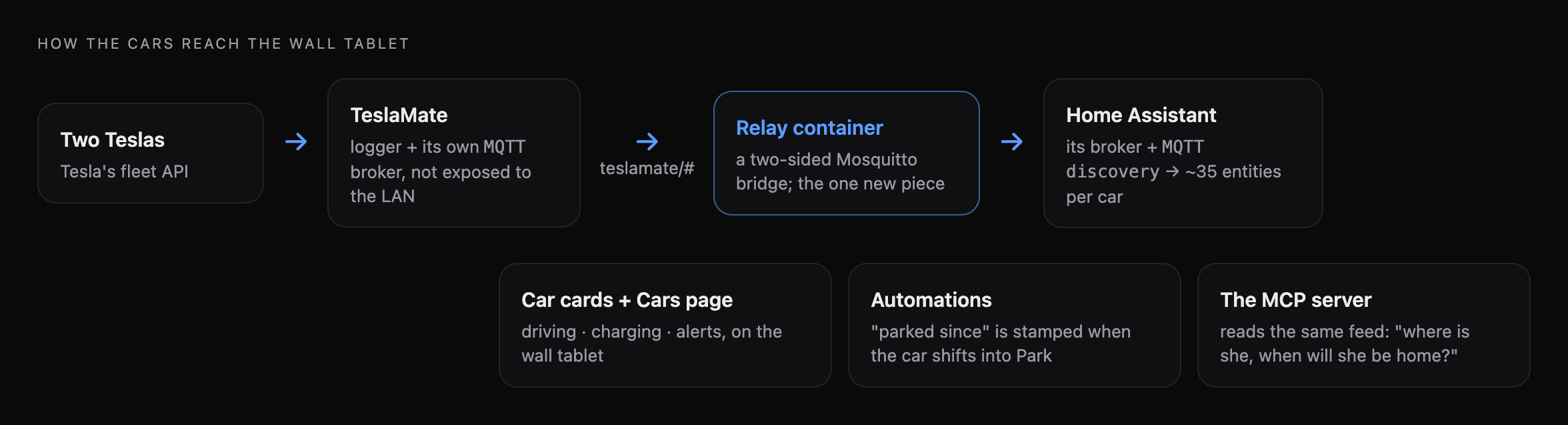
TeslaMate’s broker is deliberately not exposed to the rest of the network, and I wanted to keep it that way. So instead of opening it up, there’s a tiny relay container that joins TeslaMate’s private network on one side and logs in to Home Assistant’s broker on the other, forwarding the car topics across. It’s a Mosquitto bridge and nothing else.
On the Home Assistant side, a short script publishes discovery messages, and both cars simply appear: about thirty-five sensors each — battery, range, charge state, locks, doors, windows, tyres, speed, location, the active navigation route — plus one sensor for the relay itself, so the dashboard can tell me when the link is down rather than showing stale numbers as if they were fresh.
Cards that tell you something
The part I wanted most was a card per car that answers the question you actually have when you glance at the wall. These are the real cards, fed simulated states so I could show all three at once:

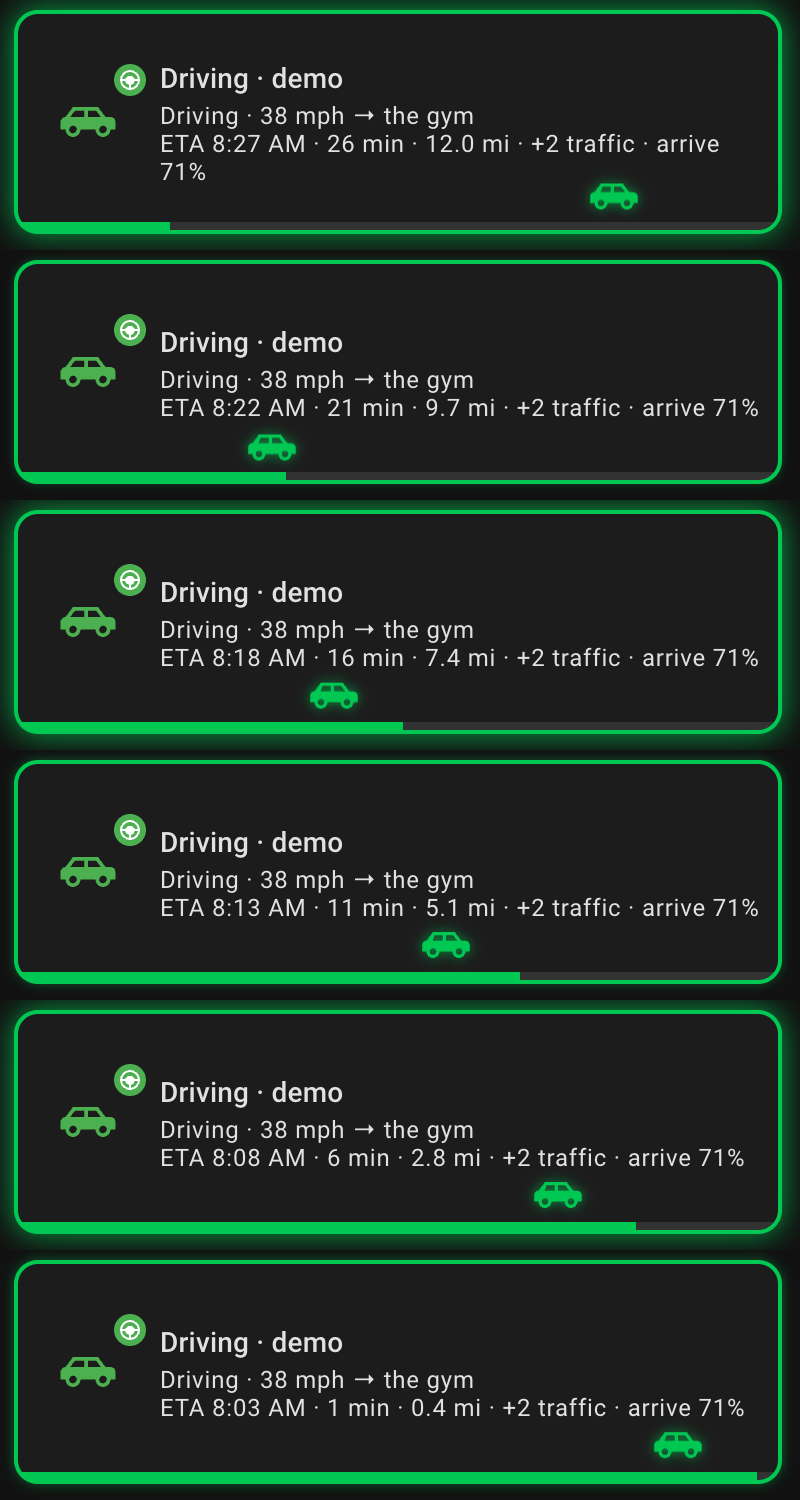
- Driving: a pulsing green border, the destination, speed, ETA, traffic delay and the battery it’ll arrive with — and along the bottom, a progress bar with a little car driving along it.
- Charging: a charge bar filling towards the charge limit, the rate, and the time it’ll be full.
- Something’s wrong: red if a car is unlocked or has a door, window or boot open while it’s away; amber for the gentler problems — a tyre out of range, a low battery that isn’t plugged in, the relay down.
Here’s the driving card running — the little car moves as the miles count down:
The “parked since” bug
The parked card says how long the car has been sitting there. The first version read that from Home Assistant’s own “last changed” timestamp, and it was wrong all the time — because every time Home Assistant restarts, “last changed” resets to the restart. Everything had apparently been parked since I last updated something.
The fix is an automation that stamps the time into a helper at the moment the car shifts out of drive. That time survives restarts, because it’s a value, not a side-effect.
The full page
The cars also got their own page: where they are, a two-day battery chart, and a compact grid of everything per car.
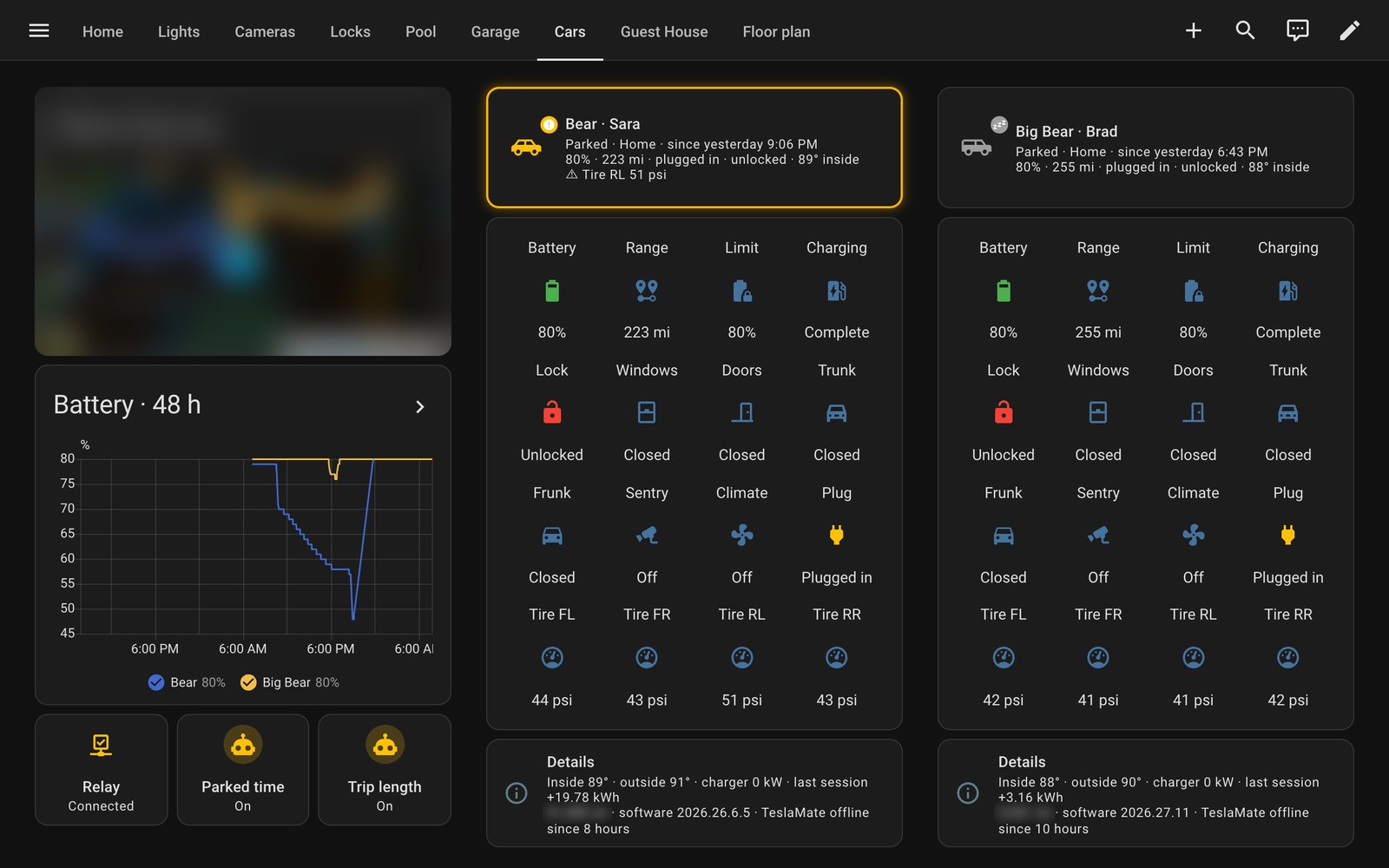
The map is blurred for the same reason the cameras are elsewhere on this blog. The rest is what the wall shows every day — and for the first time since June, it’s live.