We kept the hardware and fired the software
This one started as a retail purchase. We bought a Skylight — the touchscreen family-calendar gadget — and it earned its spot instantly: handsome device, and Sara genuinely loved the hardware sitting on the kitchen counter. The interface? We hated it. Slow to bend, wouldn’t talk to anything else we run, and this house has opinions about software that won’t integrate.
Most people in that spot return the gadget. We kept the gadget and returned the software.
Root, wipe, rebuild
Under the shell, a Skylight is an Android device — and the hardware was reasonably priced for what it is. So Claude walked me through rooting it, we threw the stock software away, and locked our own app into place with Fully Kiosk — boots straight to our screen, no status bar, no escape routes, no “someone opened YouTube on the family display.” Then we rebuilt what Skylight was supposed to be, tied into the life-planner workspace and every other system in the house — and improved the heck out of it, because now it’s ours.
What the counter shows now
It’s not a chore chart anymore; it’s the family’s morning briefing:
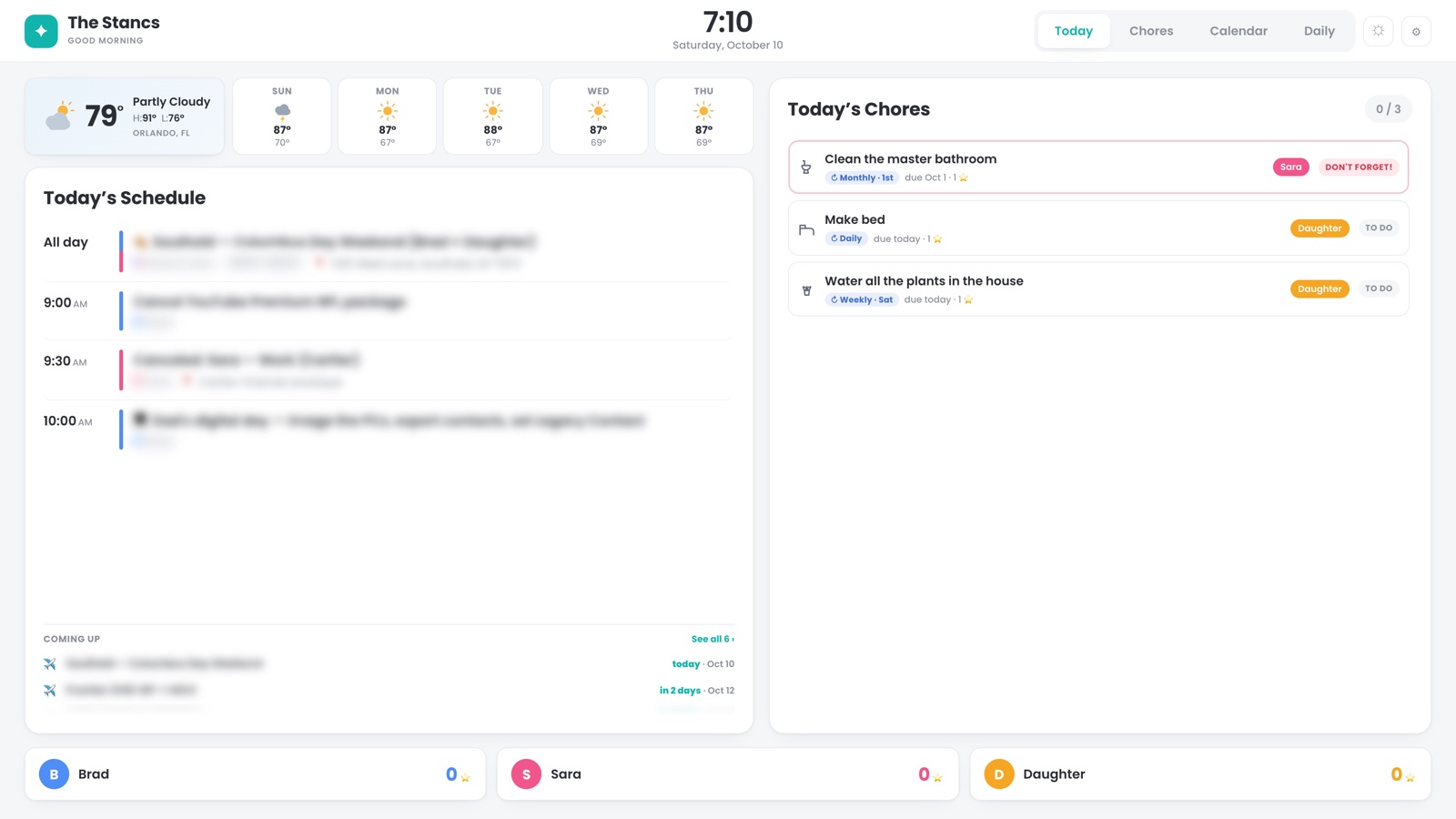
- Chores, with a trust model. Our daughter checks off her bed and her early-morning list every day. Certain chore types require parent sign-off — you can’t verify your own work — so unverified claims sit visibly pending until a parent vouches. “Done” means something.
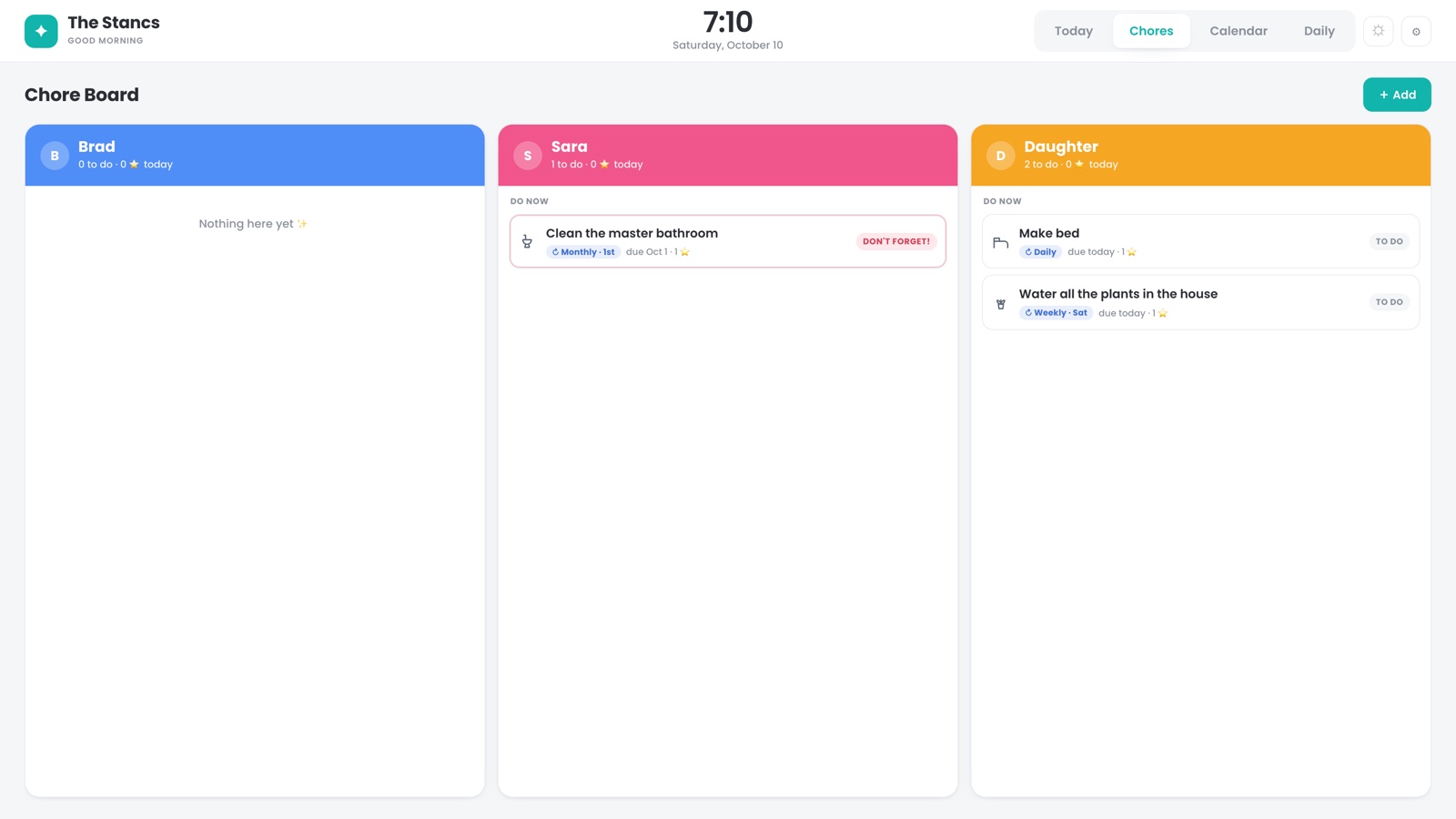 - Both calendars, including school. Everyone sees the day’s real
schedule — and where mom and dad are going to be — at a glance.
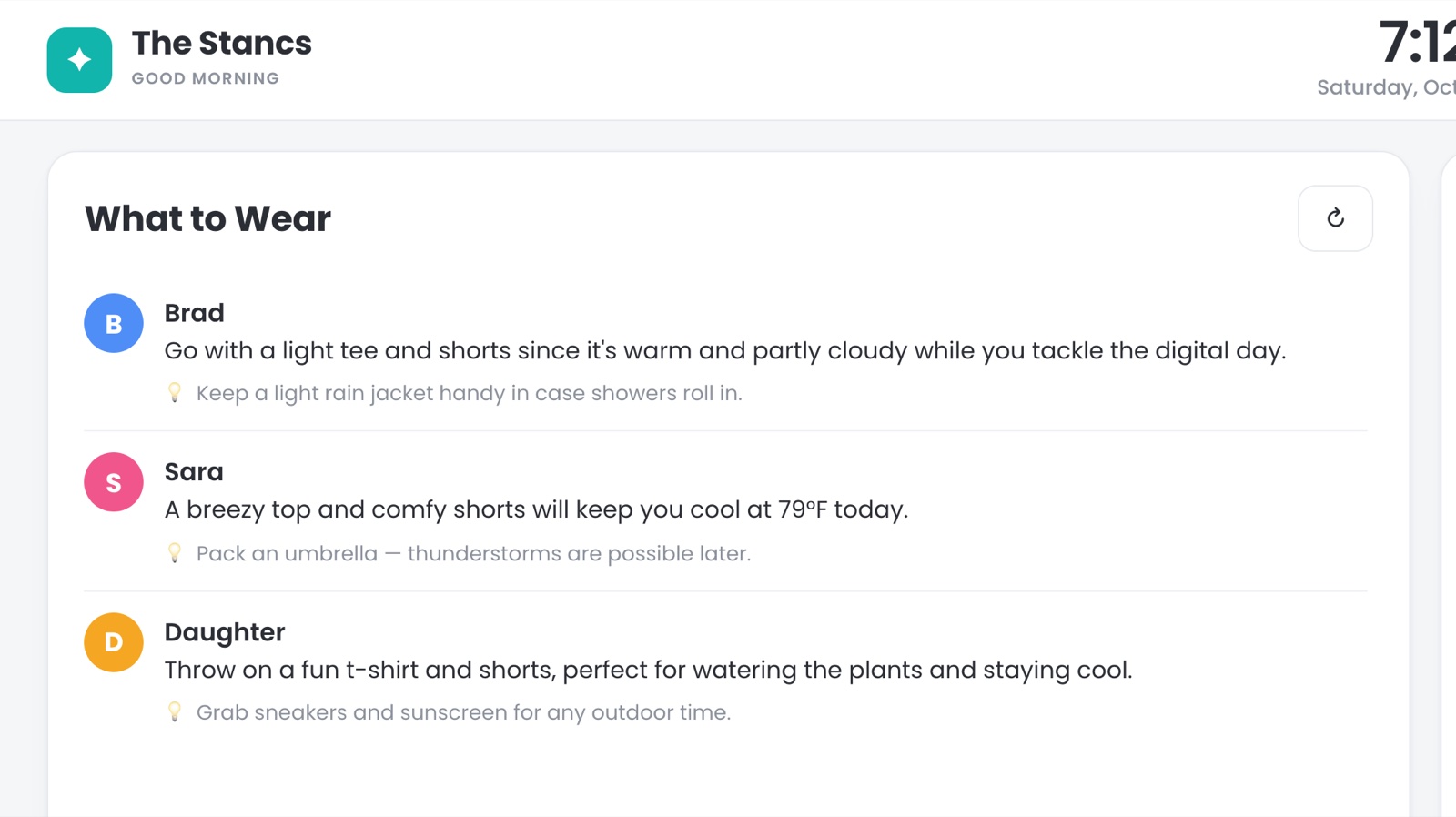
- What to wear. It knows the forecast, and it knows the schedule —
last school year it knew which days had gym and suggested footwear to
match. A kid-facing “here’s your day, here’s what to wear” section has
eliminated a whole category of morning argument. Sara and I use it too.
- Both calendars, including school. Everyone sees the day’s real
schedule — and where mom and dad are going to be — at a glance.
- What to wear. It knows the forecast, and it knows the schedule —
last school year it knew which days had gym and suggested footwear to
match. A kid-facing “here’s your day, here’s what to wear” section has
eliminated a whole category of morning argument. Sara and I use it too.
 - Things to do nearby — an AI-curated section that surfaces local
events worth knowing about, pulled in on its own.
- Things to do nearby — an AI-curated section that surfaces local
events worth knowing about, pulled in on its own.
And because the whole thing speaks MCP, we just talk to it: “add a Saturday chore to vacuum the stairs” is a sentence, and the counter updates itself moments later.
The result
The morning get-out-the-door window used to be the highest-friction twenty minutes of the day. Now there’s a screen by the coffee maker that answers the three questions everyone asks — what do I need to do, where is everyone, what do I wear — before anyone has to ask them. Our daughter goes to it every day on her own, which is the only metric that matters.
What we learned
- Good hardware with bad software is an opportunity, not a return. The gadget aisle is full of decent screens wearing disappointing apps.
- Kiosk mode turns a tablet into an appliance — it gets daily use precisely because it can’t do anything else.
- Integration is the feature. Skylight’s app failed us because it was an island. The rebuild works because it sits on top of everything else we run — calendars, weather, school schedules, the chore system, the assistant.
- Ceremony works. The parent sign-off rule did more for adoption than any feature on the roadmap.