Designing for one screen
There’s a Fire tablet mounted on the wall at home. It runs Fully Kiosk pointed at Home Assistant, and it is the thing everyone in the house actually touches: lights, locks, the pool, the thermostat, which car is home.
Its dashboards had grown the way these things always grow. A card here when a device got added, a section there when I wanted something at a glance. Nobody ever designed the whole. Here’s what the lights page looked like this morning:
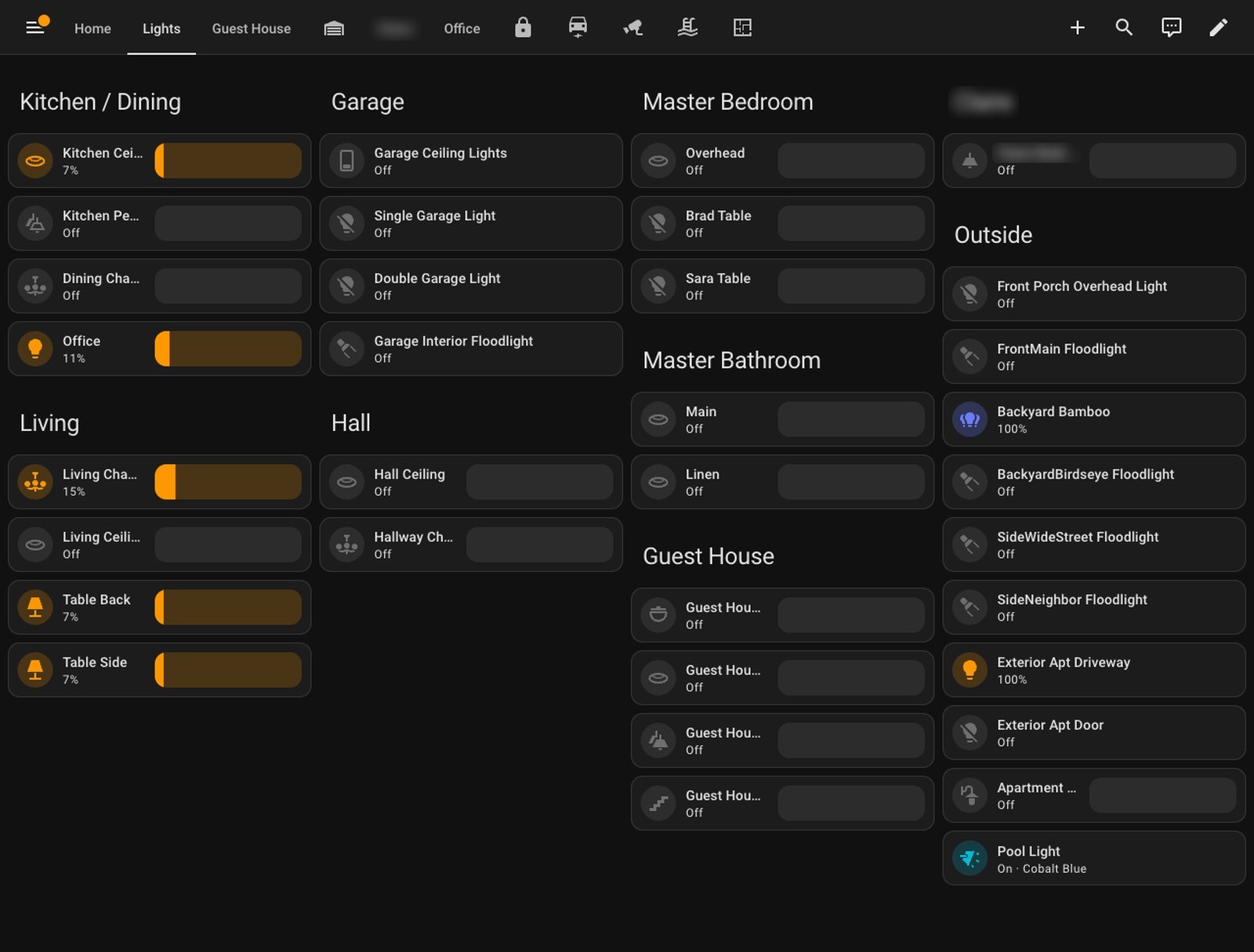
Half the names are truncated — Kitchen Cei…, Guest Hou… — the last column runs off the bottom of the screen, and there’s no margin anywhere. It works. It also looks like what it is: a list that kept getting longer.
One screen, exactly
The first useful realisation was that I am not designing a website. There is exactly one screen this has to look good on, and I know its dimensions to the pixel: the tablet is 1920×1200 physical, which Home Assistant lays out at 1280×800. Not “responsive”. Not “works on mobile too”. One rectangle, every page, forever.
That changes the brief completely. Every page should fill that rectangle — not scroll, not float in the top third with a black void underneath — with a margin round the edge and room between the groups. It should look like it was built for the thing it runs on, because it was.
Letting the assistant see it
The second realisation was that I was about to ask Claude to design something it couldn’t look at.
The browser extension I’d normally use to show it a page was having a bad day, so it built its own eyes: a small script that launches headless Chrome with a throwaway profile, logs in to Home Assistant with a token, sets the viewport to exactly 1280×800, screenshots any dashboard, and deletes the profile. From then on every change went through the same loop — change the config, take the picture, look at it, fix what’s wrong — and it caught things I’d never have described in words: a stray separator at the end of a status line, colour names kissing the bottom edge of their buttons, a column 16 pixels from the bottom bezel.
It also got into the real tablet. Fully Kiosk has a remote-admin API on the local network, so it could send the tablet to any page and screenshot what the wall was actually showing, not a simulation of it. That turned out to matter.
Why the columns kept jumping
Home Assistant’s default dashboard layout is “masonry”: it drops cards into whichever column it thinks is shortest. The catch is thinks. It works from each card’s estimated size, and it keeps filling a column until that estimate passes a threshold. Shrink one column’s contents and it doesn’t stay a shorter column — it swallows the next one. Mid-redesign the home page went from three columns to two with no warning, the thermostat stacked neatly under the music player.
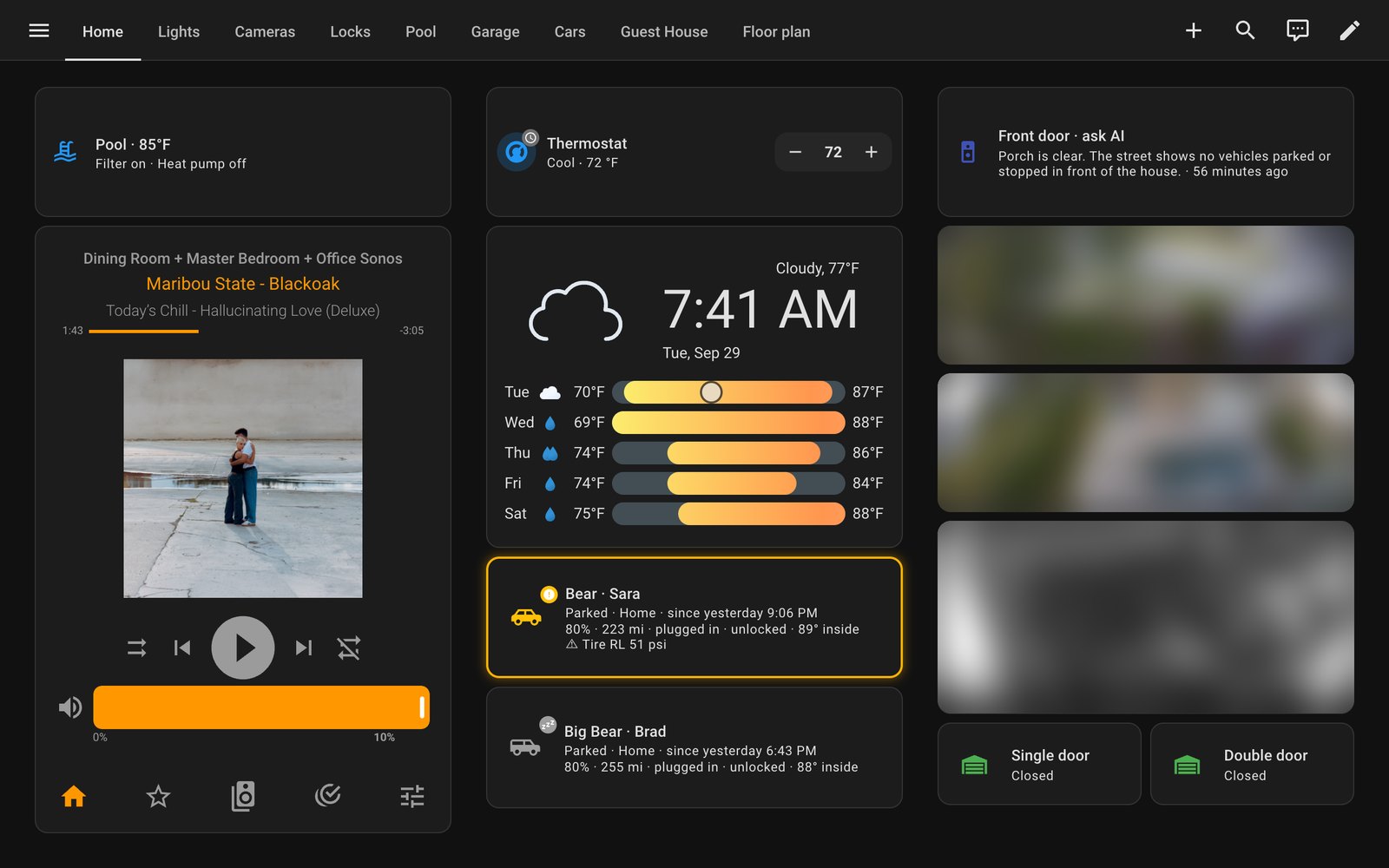
The fix was to stop letting it guess. Every page is now a sections layout with exactly one section per column: three columns, fixed, full stop. Equal-height cards come from the grid’s own row sizing rather than CSS overrides — which, it turned out, the card library I use quietly ignores anyway.
The home page got a header row: pool, thermostat, and an “ask AI” button for the front door, all the same height, with everything else hanging underneath.
A design system for one rectangle
Once the columns stopped moving, the rest was rules, applied to every page:
- Three columns, one section each. Balance them so they all end somewhere between 600 and 780 pixels. Nothing past 780.
- Every group is a panel. A room, a set of controls, a camera — each gets its own rounded, padded card with a heading, so the page reads as groups instead of as a list.
- A truncated label is a bug. Shorten the name or put fewer tiles on a row.
- No chips. The little pill-shaped status badges were the first thing I called ugly, so status lives in one line of plain text instead.
- Sparse pages get bigger controls, not empty gutters.
Here’s the lights page again, after:
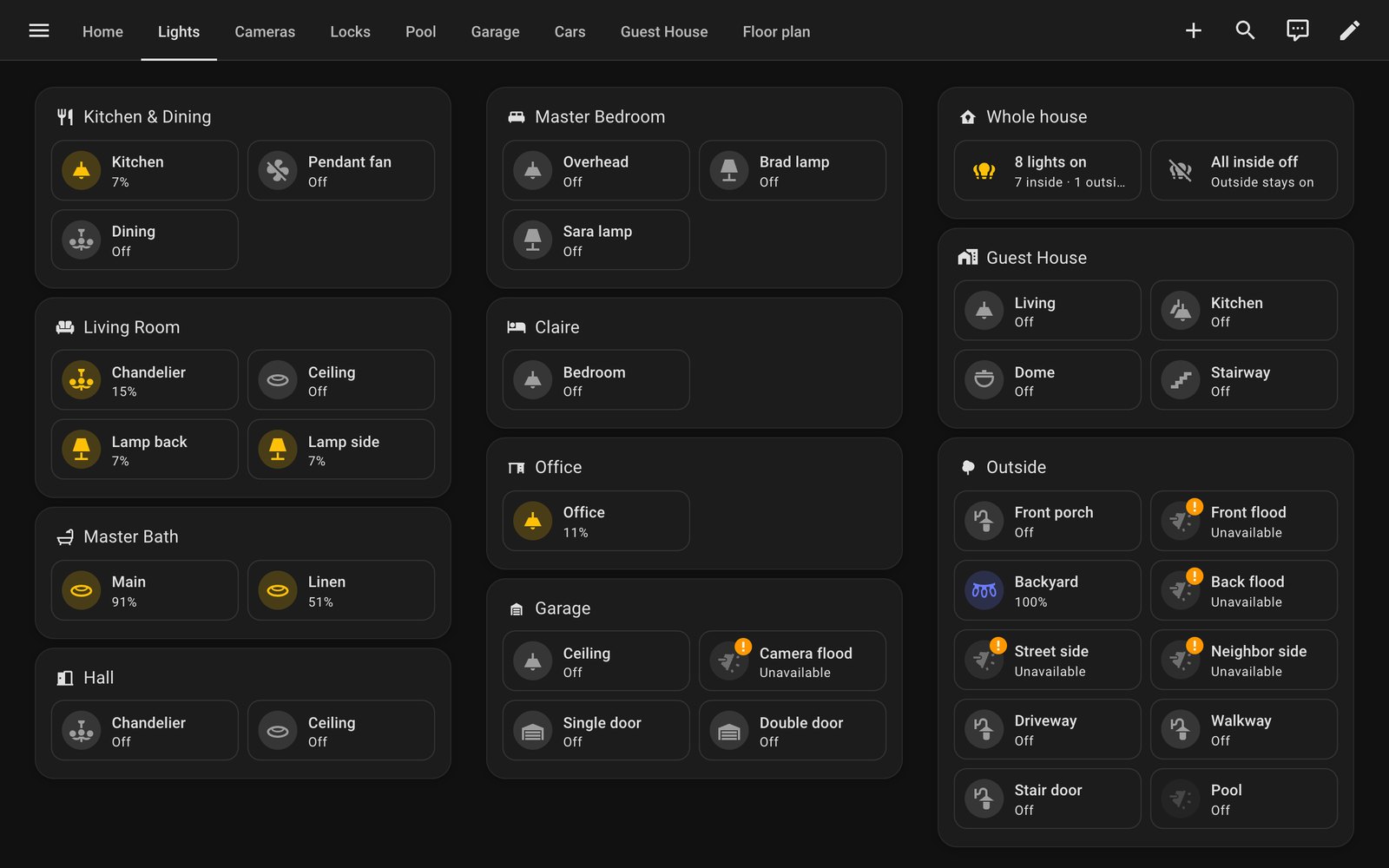
Same lights. It now has room to breathe, and a small “whole house” panel that counts what’s on and offers an All inside off that asks before it does anything and leaves the outside lights alone.
The pool page is the one I use most, and it was the worst — it ran to nearly two screens, mostly because fourteen light colours were each getting a card the size of a coaster:
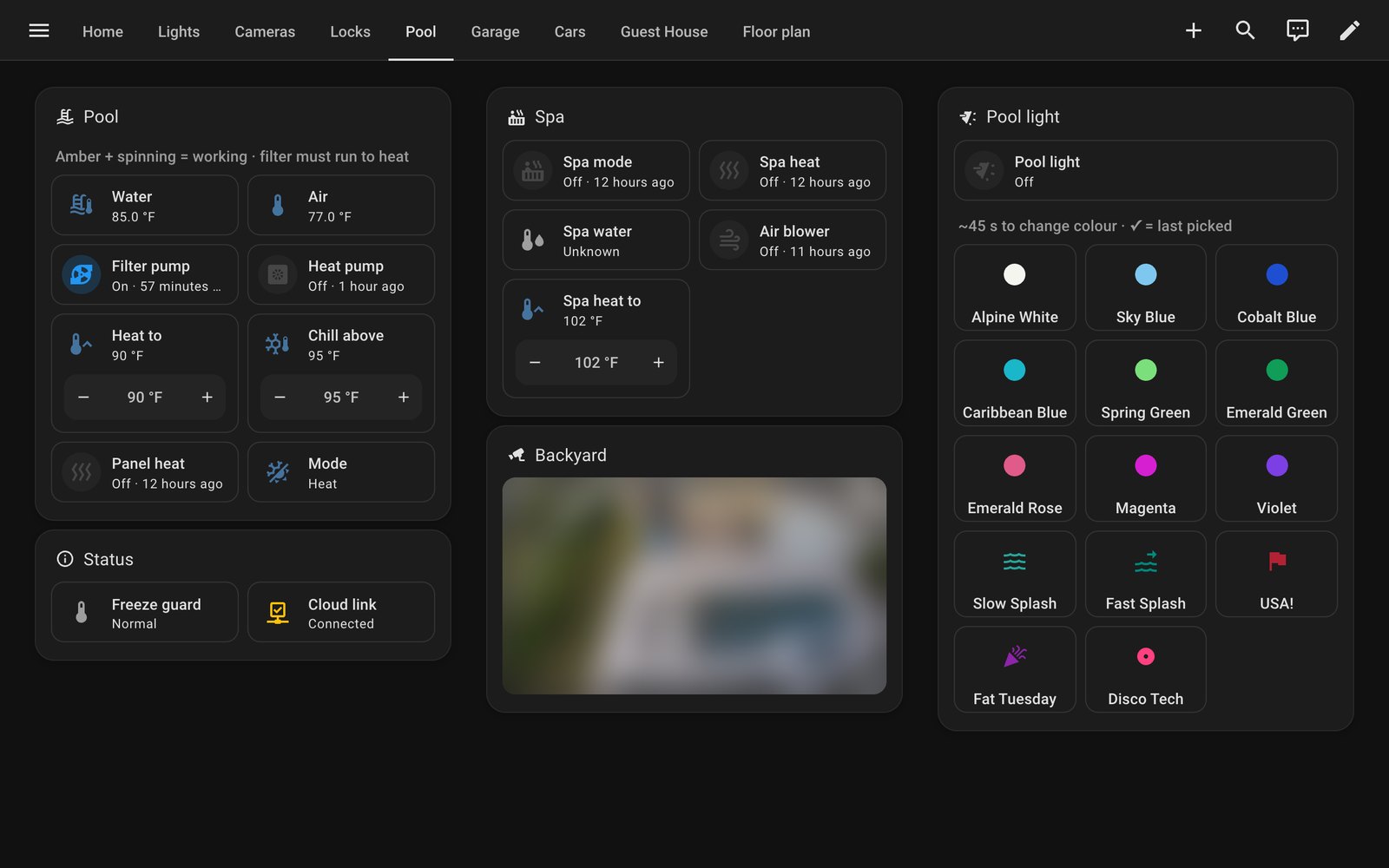
Every button on it still shows an amber spinner while the pool equipment catches up — it can take half a minute to act, and the spinner is what stops everyone tapping it five more times.
Edit the generator, not the output
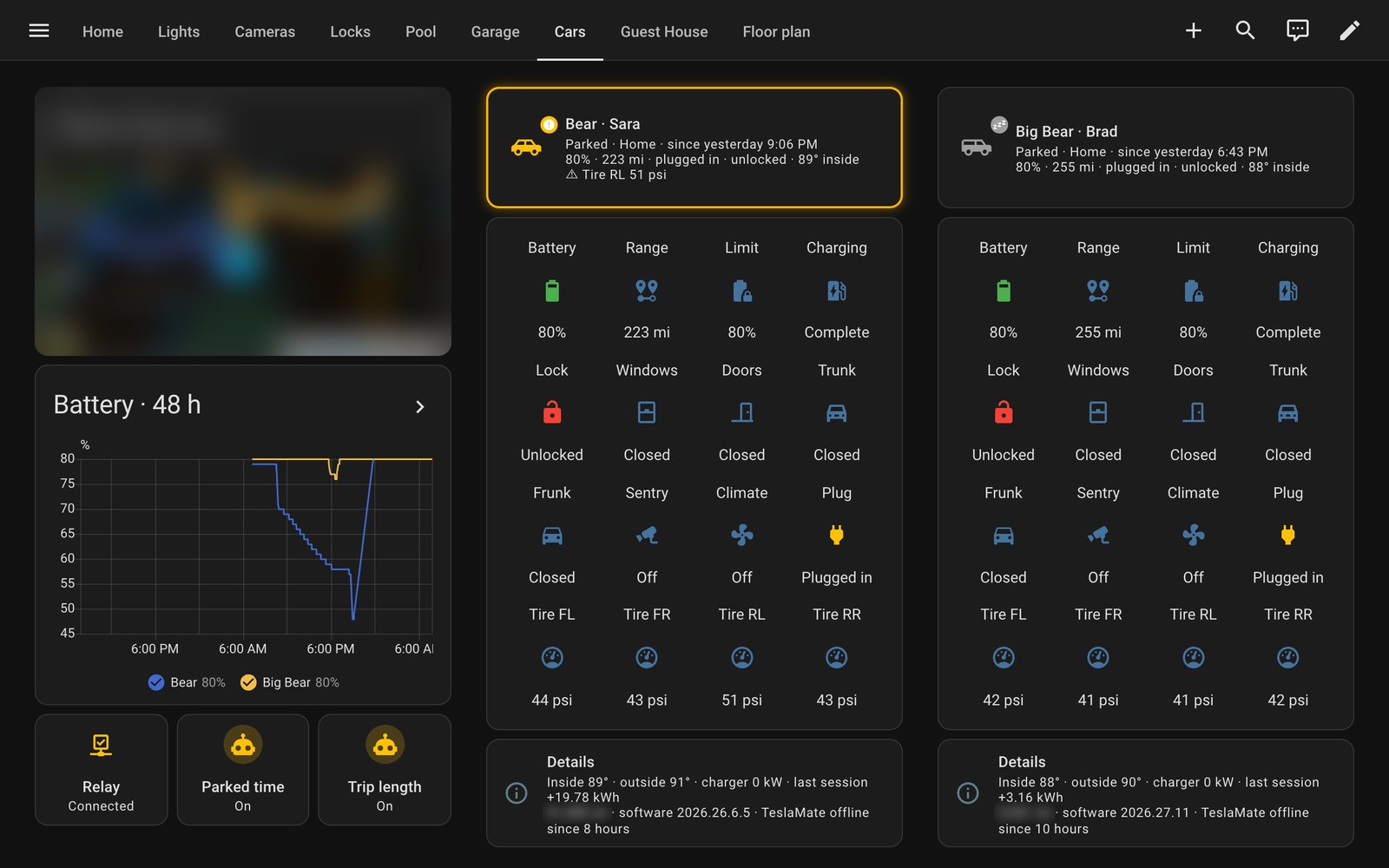
Four of these pages — garage, guest house, cameras and cars — aren’t hand-built. They’re generated by a script that lives with my Tesla telemetry project, because those pages are mostly car and door state. Editing them by hand would have lasted exactly until the next time the script ran.
So the design system went into the generator instead: a helper that turns any “title followed by some cards” into a padded panel, and a sections-layout wrapper that every generated page goes through. The cars page is the best before-and-after. It had been a page and a half of separate boxes and a nine-row list of details per car; it’s now one screen, with every value still on it:
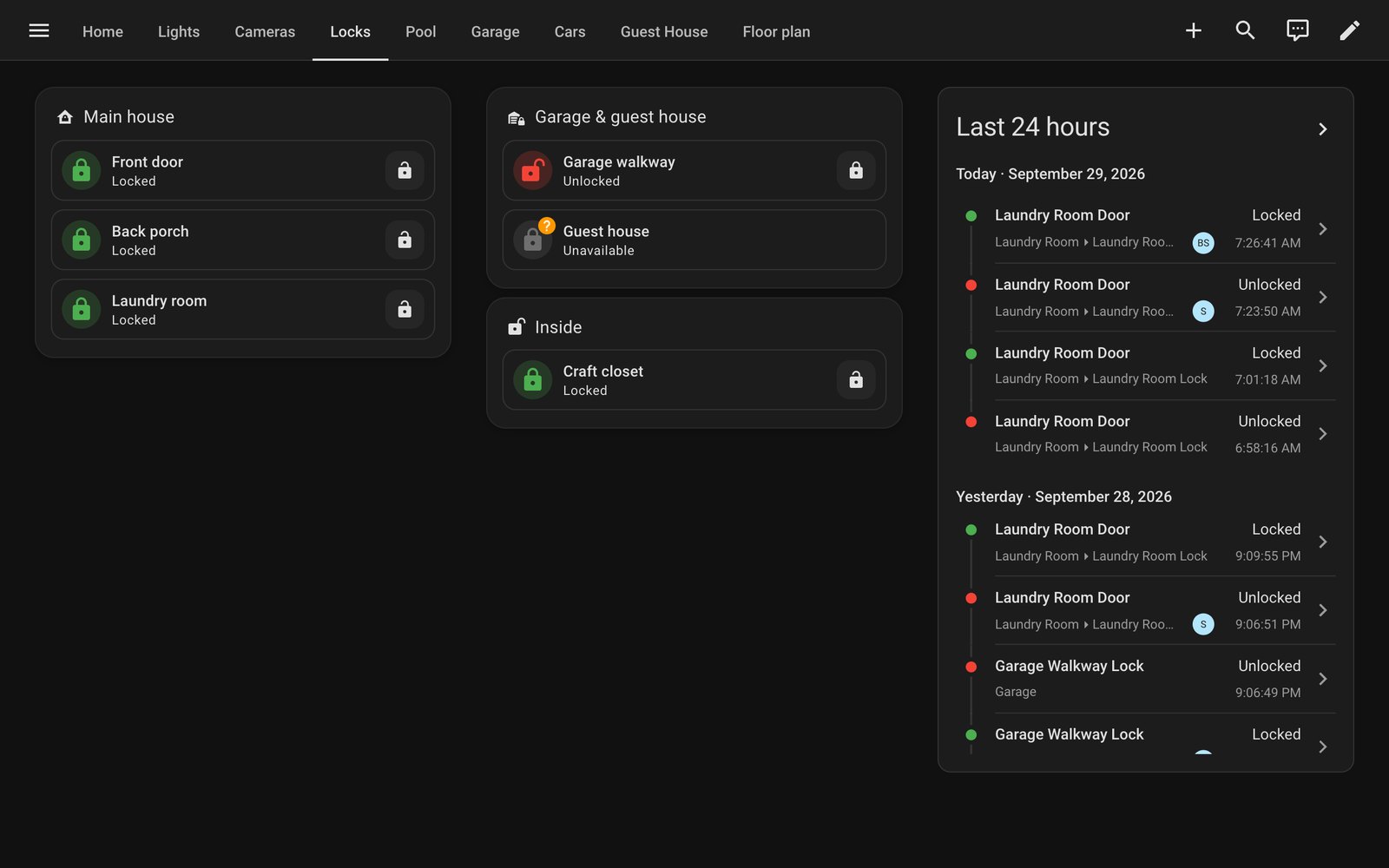
The locks page got the same treatment — a panel per part of the property, and the last day’s activity alongside:
The model that froze the wall
The last tab is a 3D model of the property — the house, the detached garage, the apartment above it and the pool — built from the builder’s construction drawings, with every light and lock live on it. You can tap a light in a 3D room to turn it off. It’s also, by a distance, the heaviest thing the tablet has to draw.
It’s blurred here for the obvious reason. It also taught me the lesson of the day.
When I went back to verify every page on the real tablet, each screenshot came back showing the same frozen frame of the floor plan, with a page-load bar stuck across the top — even after telling the tablet to go home. The tablet’s browser was stuck. My best explanation: the model was being redrawn sixty times a second, at full 1920×1200 resolution, whether anything had moved or not. On a laptop that’s invisible. On a Fire tablet’s GPU it’s a space heater.
The fix was a Fully Kiosk app restart over its API — no ladder required — and then two changes to the model: render at 1× instead of the screen’s full pixel density, and render only when something changes — you drag it, a light flips, the window resizes. Idle, it now does no GPU work at all.
It’s the kind of bug you only find by testing on the device, which is really the point of this whole entry.
What I’d tell someone doing the same
- Know your screen and design for it. If the thing is on a wall, it’s one resolution. Treat it like a poster, not a website.
- Give your assistant eyes. The screenshot loop did more for the result than any instruction I gave it. It’s much easier to agree on “that column is too close to the bottom” when you’re both looking at the column.
- Put the rules where the pages come from. If a page is generated, the design lives in the generator.
- Test on the real hardware. The simulator said everything was fine. The wall disagreed.
Every camera in these screenshots is blurred on purpose. The dashboards show a lot about a house, and the neighbours don’t need to see what I can.