From the driver's seat to the Life Planner
The car has Grok built in, and it’s a genuinely good conversational assistant — for anything it already knows. What it didn’t know was anything about me: my calendar, my inbox, or the Life Planner, the big structured repo of notes and records that most of my Claude work now runs through.
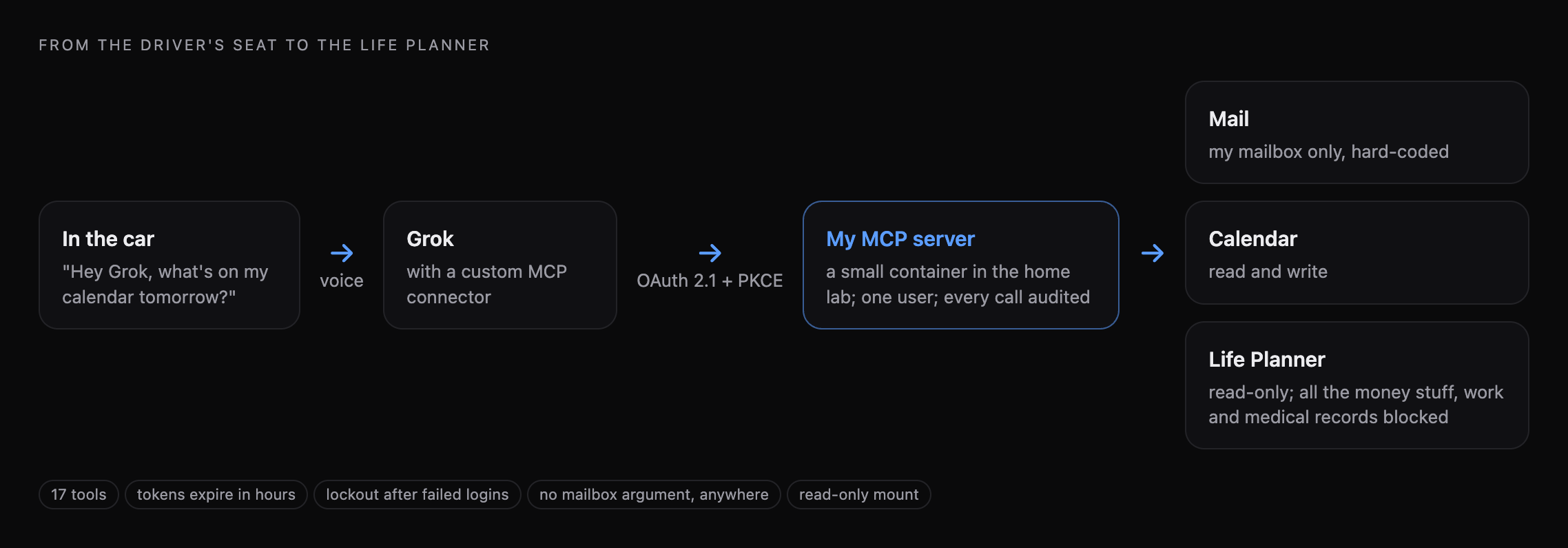
Grok can connect to remote MCP servers. So the idea was simple: stand one up at home, give it a few carefully chosen tools, connect Grok to it, and be able to ask questions from the driver’s seat that reach all the way down into my own data.
What it can do
Seventeen tools in three groups:
- Mail — list, search, read, and read attachments; draft and send, including forwarding an attachment that’s already in the mailbox.
- Calendar — list, search, read, create, update and delete events.
- Life Planner — search it, list its folders, read a document. Read-only.
In practice it sounds something like this:
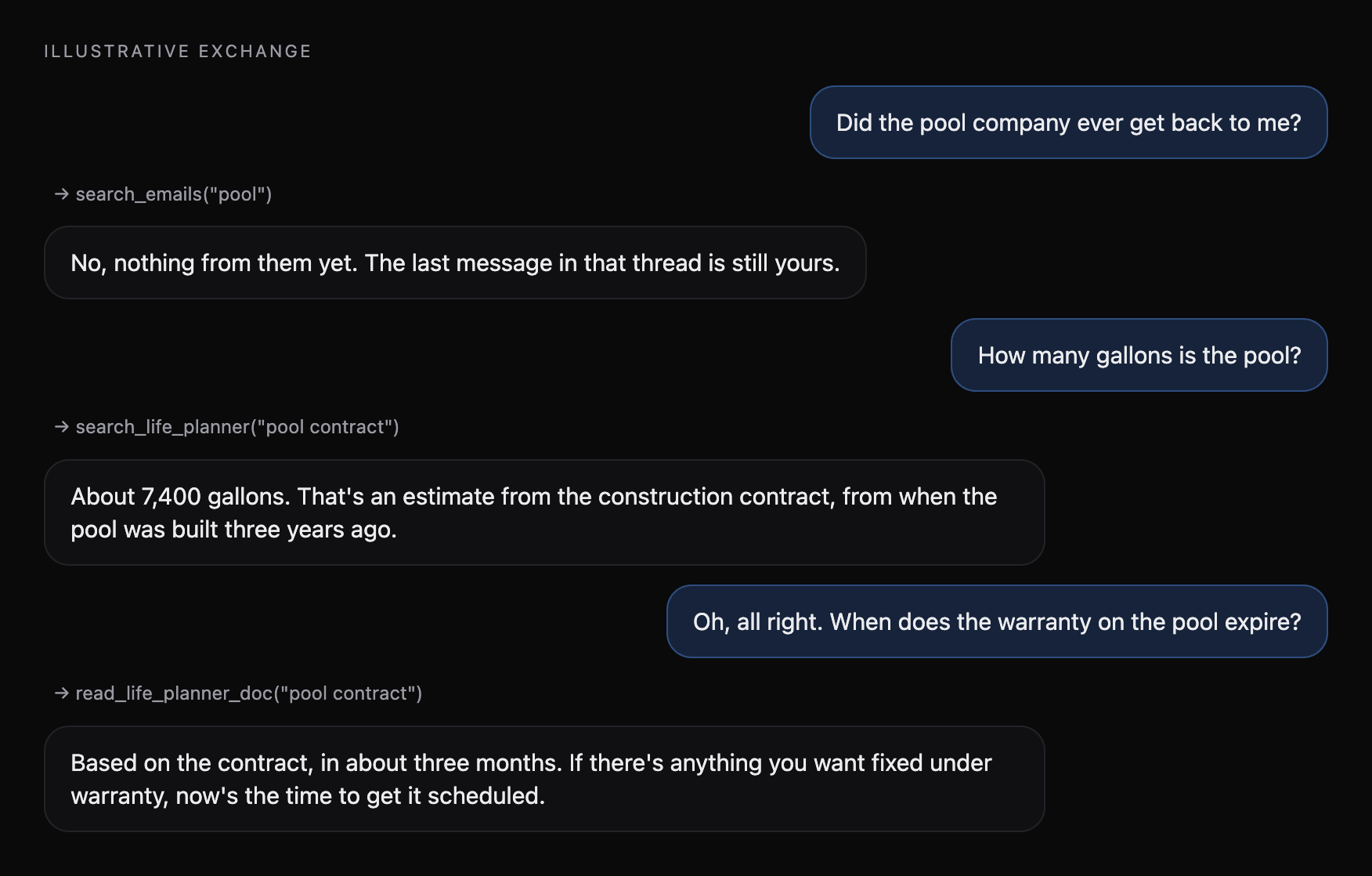
The last two answers are the whole point. The pool’s volume and its warranty aren’t in my inbox or my calendar. They’re in a construction contract, filed in a folder in a repo on a machine in my house — and the useful part isn’t the date, it’s being told that the clock is running out while there’s still time to act on it. That’s the kind of thing you want to be able to ask at a red light.
Logging in, when you can’t trust the client ID
Grok’s connectors authenticate with OAuth 2.1 and PKCE, which is the right answer. The wrinkle is that Grok doesn’t register itself: you type any client ID you like into the connector dialog and leave the secret blank. So the client ID proves nothing, and can’t be the thing standing between my inbox and the internet.
The control is the redirect. An authorization code can only ever be handed back to an approved set of hosts — Grok’s own domains, plus localhost for testing — matched exactly, so a look-alike domain that merely contains an approved name is rejected. On top of that:
- One user. Only my account can sign in. Anyone else is refused even with the right password.
- Lockouts. Repeated failures lock out the source, and a global circuit breaker trips if failures pile up from everywhere at once.
- Short-lived tokens. Access tokens last hours, not weeks; authorization codes are single-use and expire in minutes.
- An audit trail. Every sign-in and every tool call is logged — with any attachment contents recorded as a byte count, never the bytes.
Blast radius
This is the part I spent the most time on, because the failure modes are real.
The Microsoft 365 app behind it has application permissions across the whole tenant — it could read any mailbox in the family’s domain. So the server pins every call to my mailbox in code. No tool takes a mailbox argument at all, which means neither a malformed request nor a prompt-injected instruction hidden in an email can steer it into anyone else’s mail.
The Life Planner is mounted read-only into the container, and the server resolves every path it’s asked for and re-checks it against the vault before opening anything. Path tricks, absolute paths, symlinks pointing out of the vault and anything that isn’t a markdown file all fail closed. All the money stuff is blocked outright, along with work and medical records. It’s useful to be able to ask the car about the pool warranty. It’s not useful for the car to be able to recite my finances.
And one honest caveat: sending mail and deleting events are irreversible, and they act under my name. The server tells the model to confirm first and to prefer a draft — but that’s guidance to a model, not a lock. The capability is live, and I decided I’d rather have it and know that than pretend otherwise.
The bug I didn’t expect
The first calendar events it created landed five hours off. Somewhere between Grok, the server and Microsoft Graph, a local time was being treated as UTC. It’s the most ordinary bug in the world, and a good reminder of why the first week of anything like this should be spent reading the audit log.